HP DeskJet
Budget home inkjets used for occasional printing. Dried cartridges, feed problems and WiFi dropouts are the usual complaints.

LaserJet, OfficeJet, DeskJet and ENVY
HP printers are in more Melbourne homes and offices than almost any other brand, so when one stops working, plenty of people feel the pain. Our HP printer repair Melbourne service fixes paper jams, error codes, cartridge problems and offline faults on inkjet and laser models. You get honest advice on whether a repair is worth it.
Know Your Printer
HP makes a huge range of printers. A compact DeskJet on a study desk has very little in common with a LaserJet that prints thousands of pages for an office. The faults, the parts and the repair costs differ just as much.
That is why we start by understanding your exact model and how you use it. A printer that sits idle for weeks develops different problems from one that runs all day.
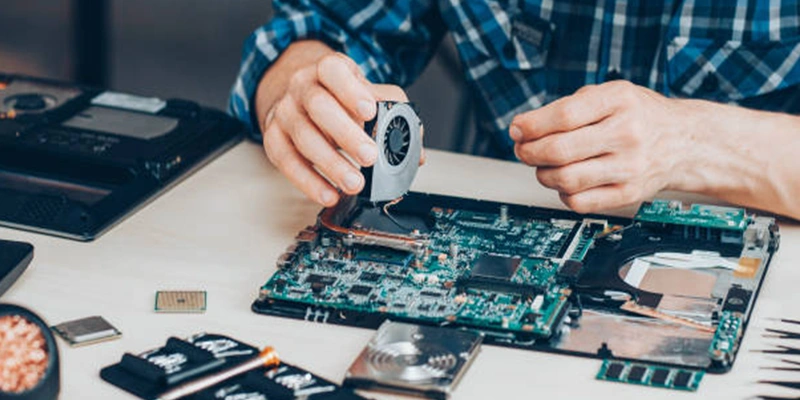
Many HP printer faults are not hardware failures at all. Driver conflicts, WiFi changes and firmware updates cause a large share of the problems people describe. These are often quick to fix.
Others involve worn rollers, a tired fuser or a blocked printhead. Here, the question is whether the repair costs less than a comparable new printer. We answer that honestly before any work starts.
For general advice on every printer brand, visit our main printer repair Melbourne page.
Get an HP Printer QuoteJams that return after clearing usually mean worn rollers or a hidden scrap of paper.
Messages about the carriage, ink system or fuser point to specific faults.
The printer works one day and vanishes from the network the next.
Streaks, faded colours or smudged toner on every page.
HP Ranges
Each HP family has its own design and its own common faults. Here is what we typically see across the range.
Budget home inkjets used for occasional printing. Dried cartridges, feed problems and WiFi dropouts are the usual complaints.
Stylish home all in ones for photos and documents. Cartridge recognition, scanner faults and app connection issues are common.
Home office and small business inkjets. Printhead errors, document feeder jams and network faults appear as print volumes grow.
Refillable ink tank printers. Air in the ink lines, blocked printheads and incorrect filling are typical causes of poor output.
Reliable mono and colour lasers for busy offices. Fuser wear, pickup roller wear and drum issues are the classic faults.
Colour lasers add toner and transfer components. Colour misregistration, streaks and transfer belt faults show up with heavy use.
Multifunction lasers that print, scan and copy. Scanner, feeder and control panel faults join the usual laser wear items.
Office printer repairFast business inkjets with a fixed page wide printhead. Printhead health and ink supply errors need careful diagnosis.
Common Faults
These are the HP faults Melbourne customers bring to us most often, and how we approach each one.
Router changes, sleep settings and driver issues make HP printers disappear. We reconnect them properly so they stay online.
Offline printer guideDirty contacts, damaged chips or firmware rules about cartridges can trigger this error. We find which one applies to your model.
Fix cartridge errorsInkjet carriages can catch on torn paper, loose parts or a worn belt. Forcing the carriage often makes things worse.
Fix carriage jamsGlazed or worn pickup rollers cannot grip paper. Cleaning or replacing them restores reliable feeding.
Fix feed problemsFuser errors and toner that rubs off point to a worn or failed fuser. It is a common, repairable LaserJet fault.
Fix fuser errorsBlocked nozzles on inkjets, or drum and transfer wear on lasers, cause streaky prints. We match the fix to the cause.
Fix print qualityScanner errors can come from software, the scan lamp or the scanner carriage. We test each to find the real fault.
Fix scanner faultsPhone printing relies on the HP Smart app, the network and printer settings working together. We set it up so it works reliably.
Network setupSeeing a different HP error. Call 0480 080 288 and read us the message on the screen.
Try These First
Several HP faults clear up with simple steps. Try these before booking. They are safe and do not need tools.
With the printer on, unplug the power cable from the back, wait a minute, then plug it straight into the wall rather than a power board. This clears many temporary errors.
Take out each cartridge, check for protective tape, and click it firmly back into place. Gently wipe the contacts with a dry, lint free cloth if they look dirty.
Open every door and tray you can reach. Use a torch to look for small scraps of paper. Even a tiny piece can cause repeated jams or carriage errors.
Most HP inkjets include a printhead cleaning tool in the menu or app. Run it once or twice, but avoid running it many times in a row as it uses a lot of ink.
For offline errors, restart the router, the printer and the computer in that order. This often restores the connection.
Book a repair if errors return, the printer makes grinding noises, or paper keeps jamming in the same spot. These usually need parts or careful adjustment.
Exact model name. On the front or the label at the back.
Error message. A photo of the screen is ideal.
Cartridge type. Genuine, refilled or compatible.
Connection type. USB, WiFi or office network.
How much you print. Helps us judge wear and value.
Worth Fixing
Not every printer deserves a repair, and we will tell you when one does not. Here is how we weigh it up.
Business LaserJet and OfficeJet Pro models are built to be serviced. Replacing rollers, a fuser or a feeder part costs far less than a new machine of the same class, and it keeps a familiar printer on the network.
Printers with expensive toner or ink already stocked are also worth saving. Replacing the printer could mean those supplies no longer fit.
Low cost home inkjets can cost less to replace than to repair, especially if the printhead has failed. In that case, we explain the numbers and help you choose a sensible replacement.
Very old models that no longer receive driver updates may also struggle with modern computers. A newer printer may save frustration in the long run.
Prevention
Most of the jobs that come through our HP printer repair Melbourne service could have been delayed with a few easy habits.
Inkjet nozzles dry out when a printer sits idle. A single colour page each week keeps ink moving and helps prevent blocked printheads.
Cheap, dusty or damp paper wears rollers faster and causes more jams. Store paper flat in a dry cupboard and fan the stack before loading.
Printers near windows, heaters or busy walkways collect dust and heat. A cleaner, cooler spot means fewer sensor and feed problems.
Use the power button rather than the wall switch. This lets inkjets park and cap the printhead, which protects it from drying out.
Updates fix bugs and connection problems. If an update causes a new issue, let us know, as we can often find a workaround.
Costs
Pricing depends on the model, the fault and any parts required. You receive a clear quote before work begins.
| Repair | What It Covers | Cost Factor |
|---|---|---|
| Assessment | Diagnose the fault and advise on value | Model and fault type |
| Connection Fix | Offline, WiFi and driver problems | Network setup involved |
| Jam and Feed Repair | Rollers, sensors and paper path | Parts required |
| Printhead Service | Cleaning or replacing inkjet heads | Head type and condition |
| Fuser Replacement | LaserJet fuser faults and smearing | Fuser model |
| Scanner Repair | Scan unit and document feeder faults | Part availability |
For a quick estimate, call 0480 080 288 with your HP model and the error message.
Process
Simple steps from the first call to clean, reliable printing.
Tell us the model, the error and how you connect. We suggest likely causes straight away.
We arrange an on site visit or a drop off, depending on the printer and the fault.
We confirm the fault and give you a clear quote, including honest advice on value.
We complete the repair and run test prints from your devices before finishing.
Melbourne
We help homes, schools and businesses across Melbourne keep their HP printers working. Many connection and software faults can be fixed quickly, while hardware jobs depend on parts.
Our HP printer repair Melbourne team works with home users, home offices, schools and small businesses. Each has different priorities, from quiet printing at home to fast, dependable output for a busy front desk.
Offices with several HP printers can combine repairs into one visit. That saves time and helps us spot shared problems such as network settings or ageing parts.
Need help with printers from other brands too. See Brother printer repair, Canon printer repair and Epson printer repair.
Book Your HP Printer RepairClear diagnosis. The real cause, explained simply.
Value advice. Repair or replace, honestly.
Device testing. Printing from your computers and phones.
Written quote. Approved before any work.
Further Reading
Hand picked articles that go deeper on this job.
Clear quotes, honest advice and fast fixes for HP printers across Melbourne. Call or email now.
Common questions
Answers to the HP printer questions we hear most.
Common causes include router changes, power saving settings, a changing network address and outdated drivers.
We set the connection up properly so the printer stays visible to your devices.
Dirty contacts, protective tape, a damaged chip or firmware rules about cartridge types can all cause this message.
Reseating and cleaning the contacts is a good first step.
Switch it off, remove any visible paper, and check that the carriage moves freely by hand. Do not force it.
If the error returns, a technician should check the belt, rails and sensors.
Yes. We repair LaserJet and Color LaserJet models, including fuser, roller, drum and feeder faults.
These business printers are usually well worth repairing.
Sometimes not. If the printhead has failed on a low cost model, a replacement may cost less.
We tell you honestly before any work begins.
On inkjets, blocked nozzles are the usual cause. On lasers, a worn drum or transfer part is more likely.
We identify the cause and recommend the right fix.
Yes, for many faults, especially connection, setup and common hardware problems on office printers.
Larger hardware repairs may be completed off site depending on the part.
The cost depends on the model, the fault and the parts needed. Connection fixes are usually the most affordable.
You receive a clear quote before any repair work starts.