HL Mono Laser
Compact print only lasers for homes and small offices. Drum, toner and pickup roller faults are the most common repairs.

HL, DCP and MFC Specialists
Brother printers earn their place through reliability, so when one starts throwing drum warnings or jamming every few pages, it is worth fixing properly. Our Brother printer repair Melbourne service handles laser and inkjet models for homes and offices, with clear advice on cost and value before any work begins.
Built to Last
Brother has a strong reputation for printers that just keep going. Many of their laser models are designed with separate toner and drum units, which makes them simple and affordable to maintain.
That design also explains many of the problems we see. A drum near the end of its life, a toner sensor that misreads, or a counter that has not been reset can all stop printing, even when the printer itself is healthy.
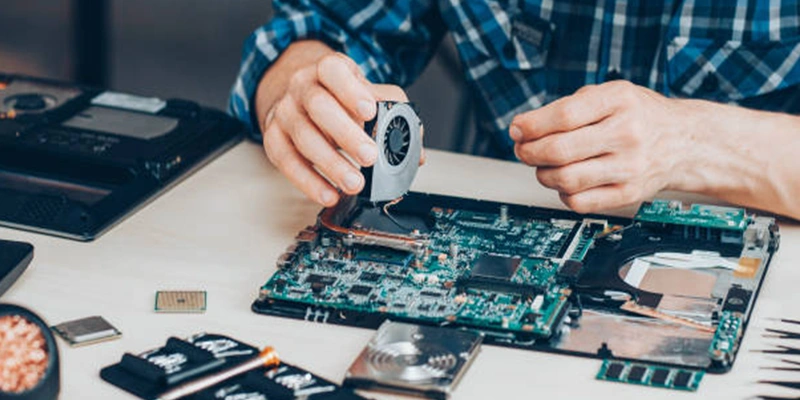
Other faults come from normal wear. Pickup rollers lose their grip, fusers wear down after many pages, and paper dust builds up inside the machine. These are routine repairs on a well built printer.
That is the core idea behind our Brother printer repair Melbourne service. Find the real cause first, then fix only what is needed.
Because Brother printers are durable, repair is often better value than replacement. We still check that the numbers make sense for your model before recommending anything.
For other brands, or for general printer advice, see our main printer repair Melbourne page.
Get a Brother Repair QuoteThe drum counter or the drum itself has reached its limit.
Shown even after fitting a new cartridge in some cases.
Paper stuck under the drum, at the rear or in the duplex unit.
Numbered errors on inkjets that point to specific internal faults.
Brother Range
Brother names its printers by type. Knowing the series helps us predict the likely fault before we even open the cover.
Compact print only lasers for homes and small offices. Drum, toner and pickup roller faults are the most common repairs.
Colour lasers add belts and multiple toners. Colour registration and belt faults appear as page counts climb.
Print, scan and copy models. Scanner faults and feed problems join the usual laser wear items.
Office workhorses with document feeders and fax. Feeder rollers, scanner glass and network settings need regular attention.
Office printer repairBrother inkjets for home offices. Printhead blockages, ink absorber warnings and paper feed issues are typical.
High capacity tank printers. Air in the ink lines and nozzle blockages after long idle periods are the usual faults.
P touch and QL label printers in shops and offices. Feed, cutter and connection problems are the common complaints.
Document scanners used in offices. Roller wear and feed errors build up with heavy scanning.
Faults
These are the problems Brother owners describe most often. Each has a logical cause and a practical fix.
A drum message after fitting a new drum usually means the counter was not reset, or the corona wire needs cleaning. Occasionally the drum is faulty.
Fix drum errorsToner sensors can misread, especially with some compatible cartridges. Cleaning the sensor window or checking the cartridge usually solves it.
Fix toner errorsWorn pickup rollers, torn paper fragments or a faulty sensor cause repeated jams. We clean the paper path and replace worn parts.
Fix paper jamsA dirty corona wire, a worn drum or low toner can cause faint or speckled pages. We pinpoint which part is responsible.
Fix print qualityToner that smears or rubs off means the fuser is not bonding it properly. A fuser replacement is often needed.
Fix fuser faultsNumbered Print Unable messages on inkjets relate to the carriage, ink system or internal sensors. We decode the message and repair the cause.
Decode the errorNetwork changes and power saving modes cause dropouts. We configure the printer to stay connected reliably.
Offline guideFeeder jams and scanner errors on DCP and MFC models usually trace back to worn rollers or a dirty scan path.
Fix scanner faultsSeeing a different message. Call 0480 080 288 and read us the error on the display.
Drum and Toner
Many Brother lasers use two separate consumables. The toner cartridge holds the powder. The drum unit transfers the image onto the paper. Each wears out at its own pace.
This saves money, since you replace each part only when it needs it. It also causes confusion when warnings appear that do not match what you have just replaced.
Toner is used up much faster than the drum. Most people replace several toner cartridges before the drum needs changing.
The printer keeps a count of drum use. When a new drum is fitted, that count usually needs to be reset. If it is not, the warning stays on screen.
Most Brother drums have a small green slider. Moving it gently back and forth cleans the corona wire, which can remove streaks and some drum warnings.
Compatible toner can work well, but quality varies. Some cartridges cause sensor errors or leave residue. If problems started after switching, mention it when you call.
Clean the corona wire each time you change toner.
Keep the drum out of direct sunlight while it is removed.
Keep spare toner sealed and level until needed.
Quick Checks
These steps are safe and may solve the problem. Even if they do not, they help us understand the fault faster.
Switch the printer off with its power button, wait a minute, then turn it on again. Plug it directly into the wall rather than a power board.
Take out the drum and toner together, check for loose paper, then refit them firmly. Make sure the toner clicks into the drum.
Many Brother jams hide at the back of the printer. Open the rear cover and the duplex tray to check for trapped paper.
If the printer is offline, print a network configuration page from the menu. It shows whether the printer is connected and which address it is using.
In offices, small items like staples, sticky notes and label backing often end up inside the paper tray. Remove the tray completely and check the gap behind it.
Call if errors keep returning, the printer grinds or clicks, or toner smears on every page. These usually need parts or internal cleaning.
Model number. Such as an HL, DCP or MFC code on the front.
Exact error text. A photo of the display helps.
Supply history. When the drum and toner were last changed.
Genuine or compatible. Which toner or ink you use.
Connection type. USB, WiFi or wired network.
Costs
Every quote follows a proper assessment. These are the factors that shape the final price.
| Repair | What It Covers | Cost Factor |
|---|---|---|
| Assessment | Find the fault and advise on value | Model and fault type |
| Error Clearing | Drum, toner and counter related warnings | Whether a part is needed |
| Jam Repair | Rollers, sensors and the paper path | Parts required |
| Fuser Replacement | Smearing and fuser errors | Fuser model |
| Inkjet Service | Printhead and ink system faults | Severity of blockage |
| Network Setup | Offline and connection problems | Number of devices |
For an estimate, call 0480 080 288 with your Brother model and the error message.
Prevention
A few habits stretch the life of your printer and reduce the need for Brother printer repair in Melbourne offices and homes.
Damp or dusty paper wears rollers and causes jams. Keep paper sealed until you need it and store it flat.
Overfilled trays cause misfeeds and multiple sheets pulling through. Stay below the fill line marked inside the tray.
Paper dust builds up over time. A gentle clean around the drum area when you change toner keeps print quality sharp.
Running toner until the page is almost blank strains the drum. Replace toner when quality starts to fade, and keep a spare on hand.
Brother inkjets prefer regular use. A short print each week helps prevent dried nozzles and blocked printheads.
Process
Clear, simple and focused on getting you printing again.
Call with the model and the error message. We suggest likely causes immediately.
We arrange an on site visit or a drop off, depending on the fault.
We confirm the cause and give a clear quote with honest value advice.
We complete the work and print test pages from your devices.
Melbourne
We help homes, schools and businesses across Melbourne keep Brother printers running. Many software and connection faults are quick to resolve, while hardware repairs depend on parts.
Our Brother printer repair Melbourne service covers small home lasers right through to busy office multifunction machines. Whatever the model, we explain the fault in plain words and show you the repair options side by side.
Offices with several Brother MFC machines often share the same settings and supplies. Fixing one can reveal a simple change that prevents problems on the rest.
Also see HP printer repair, Canon printer repair and Epson printer repair.
Book Your Brother RepairClear diagnosis. The real cause, explained.
Honest value check. Repair only when it makes sense.
Test prints. From your own devices.
Written quote. Approved before work begins.
Further Reading
Background reading before you book.
Clear quotes and practical fixes for Brother printers across Melbourne. Call or email to book.
Common questions
The Brother questions we answer most.
The drum counter usually needs resetting after a new drum is fitted. A dirty corona wire can also keep the warning on.
If neither helps, the drum or a sensor may be faulty.
A dirty sensor window, a poorly seated cartridge or a cartridge the printer does not read correctly can cause this.
Refitting the cartridge firmly is a good first step.
Remove the drum and toner, then slide the small green tab gently from side to side several times. Return the tab to its home position.
This often removes streaks and some drum warnings.
Usually yes. Brother lasers are durable and their wear parts are affordable compared with a new printer.
We confirm the value before any work begins.
It is an internal error with a number that points to a specific fault, often involving the carriage, ink system or a sensor.
Tell us the number and we can suggest the likely cause.
Low toner, a worn drum or toner save mode can cause faded prints.
Check the settings first, then let us assess the drum and toner.
Yes. We repair MFC models including feeder, scanner, fuser and network faults.
On site visits are available for many office printer problems.
The cost depends on the model, the fault and any parts required. Error clearing and setup are usually the most affordable.
You receive a clear quote before work starts.