ROG Strix Desktop
Republic of Gamers towers run hot and fast. Graphics cards, liquid or air cooling, and high wattage power supplies are the parts that need the most care.
Gaming PC repair
ROG, TUF, ExpertCenter and Vivo
ASUS powers everything from family all in ones to serious gaming towers, plus countless custom built PCs running ASUS motherboards. Our ASUS computer repair service in Melbourne diagnoses the fault properly, explains it clearly, and fixes it with the right parts. Diagnosis is free and every quote is written.
More Than One Kind
When people say ASUS computer, they can mean very different machines. It might be a ready made ROG gaming tower, a slim Vivo all in one on the kitchen bench, or a compact ExpertCenter in an office.
It might also be a custom PC that someone built around an ASUS motherboard. These machines mix parts from many makers, which makes careful diagnosis even more important.
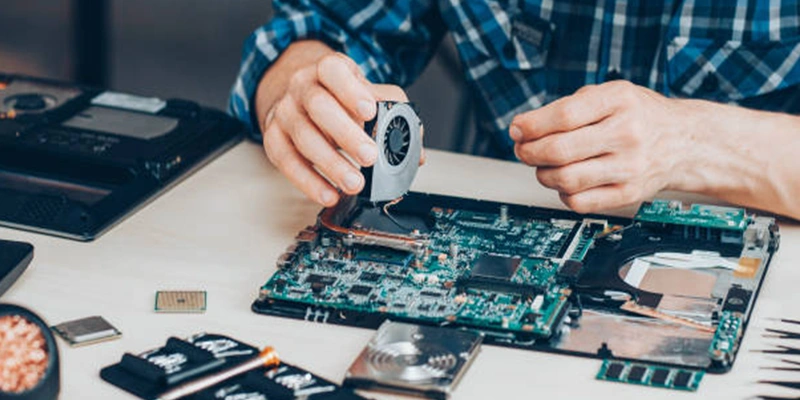
Whatever kind of ASUS you own, the process stays the same. We test each part, confirm the fault, and explain the options. Nothing is replaced until you approve a written quote.
Gaming owners often worry about losing performance after a repair. We use parts that match or exceed the original specification, and we stress test the system before handing it back.
For ZenBook, VivoBook, ROG and TUF notebooks, visit our ASUS laptop repair page instead. It covers portable models in full.
Get a Free ASUS QuoteMany ASUS boards light a small LED to show which part failed at start up.
High performance parts produce heat that needs clean, working cooling.
Fans spin but no picture appears, often a memory or graphics fault.
Crashes and lag often trace back to storage, drivers or settings.
ASUS Lineup
Each ASUS range has its own design and its own pressure points. Here is where faults usually appear.
Republic of Gamers towers run hot and fast. Graphics cards, liquid or air cooling, and high wattage power supplies are the parts that need the most care.
Gaming PC repairTUF systems are built for durability at a friendlier price. Dust, thermal paste and graphics driver issues are the typical causes of trouble.
ExpertCenter towers and minis keep offices running. We focus on quick repairs, data protection and getting staff back to work.
Vivo all in ones save space by hiding the computer behind the screen. Display, storage and cooling repairs need careful workshop handling.
Compact ASUS mini computers are quiet and efficient. External adapters, small fans and storage are the usual repair points.
Self built and shop built PCs often use ASUS motherboards. We diagnose the whole system, not just the board, to find the real fault.
Desktop repairFault Finder
These are the problems ASUS owners describe to us most. Each one has a logical set of causes we work through in order.
A silent, dark computer usually has a power supply fault, a loose front panel connector or a board problem. We test each with proper equipment.
No power helpA lit LED marked CPU, DRAM, VGA or BOOT shows where start up stopped. It is a valuable clue, though the listed part is not always the one at fault.
Ask about Q LEDMemory that is not seated, a failing graphics card or a monitor on the wrong input can all cause a black screen with fans running.
Display faultsFrame drops, loud fans or shutdowns while gaming often mean dried thermal paste, a failing pump or dust clogging the radiator.
Cleaning guideUnstable memory settings, failing storage and driver conflicts cause crashes. We test the hardware and check settings for safe, stable values.
Blue screen guideA computer that restarts repeatedly may have a power, heat or update fault. We find which one before replacing any parts.
Restart causesIf the system cannot see its drive, the cause may be a cable, a setting or a failed drive. We protect your data first.
SSD data recoveryAn ageing drive, too little memory or background programs can slow any ASUS. We tune software and recommend upgrades only where they help.
Slow computer causesStill unsure. Call 0480 080 288 and describe the lights and sounds at start up.
Motherboards
ASUS is one of the most popular motherboard makers in the world. That means many computers, whatever their badge, rely on an ASUS board at their core.
A motherboard is often blamed too quickly. In our experience, a weak power supply, a single faulty memory stick or a loose cable can look exactly like a dead board. Proper testing separates the two.
True board faults include damaged sockets, failed power delivery components, corrupted firmware and liquid or physical damage. Some can be repaired, while others need a replacement board.
An interrupted BIOS update can leave a board unable to start. Many ASUS boards include recovery features, and we use them where possible before considering replacement.
If a board cannot be saved, we source a compatible replacement that suits your processor, memory and case. We explain the options so you can choose with confidence.
See our motherboard repair page for more on board level work.
A weak supply often mimics a dead motherboard.
One bad stick can stop the whole system starting.
Loose power or front panel cables cause no start faults.
Before You Book
These steps are safe for anyone and do not involve opening the case. They may fix a simple issue, and they always help us diagnose faster.
Many desktops have a switch on the back of the power supply. Make sure it is on, the cable is secure, and the wall socket works.
If your ASUS board has diagnostic LEDs, note which one stays lit. Take a photo if you can. It shortens the diagnosis.
Connect the monitor to the graphics card rather than the motherboard if your PC has a separate card. A wrong port is a common cause of a black screen.
If the fault began after a new part, a BIOS update or overclocking, mention it. Reverting settings can sometimes restore stability.
Stop if you smell burning, see sparks, or hear clicking from a drive. Turn the computer off at the wall and call us.
Model or board name. On the case label or the board itself.
Parts list. For custom builds, the main components installed.
LED and beep details. What happens when you press power.
Recent changes. New parts, updates or settings.
Login details. So we can test Windows afterwards.
Pricing
Every system is different, so we quote after diagnosis. These factors decide the final figure.
| Repair | What We Do | Cost Factor |
|---|---|---|
| Diagnosis | Component testing and system checks | Free of charge |
| Software and Drivers | Windows, driver and settings faults | Time to restore stability |
| Cooling Service | Clean, repaste and fan or pump work | Air or liquid cooling design |
| Power Supply | Replace a weak or failed unit | Wattage and quality level |
| Graphics Card | Test, repair or replace the card | Card model and availability |
| Storage | Drive replacement or upgrade | Drive type and capacity |
| Motherboard | Board repair, recovery or replacement | Quoted after detailed testing |
For guidance on your system, call 0480 080 288 with the model or main parts list.
Gamers
Gaming hardware works harder than everyday computers. A little care goes a long way.
Rising temperatures over time usually mean dust or ageing thermal paste. Catching this early protects the processor and graphics card from heat stress.
The newest graphics driver is not always the most stable. If crashes start right after an update, rolling back is a reasonable first step.
Upgrading to a hungrier graphics card without upgrading the power supply is a common cause of random shutdowns under load.
Aggressive overclocks and memory profiles can cause instability. We can reset settings to stable values and explain safer options.
How It Works
A clear path from fault to fix.
Call or email with the model, parts list and what you see at start up.
Drop off the computer, or ask about on site help.
Free testing, then a written quote for your approval.
We repair the fault and test the system under load before return.
Local Service
We repair ASUS computers for gamers, families, students and businesses across Melbourne. Many repairs are completed the same day, depending on the fault and part supply.
From a Vivo all in one to a fully custom ROG build, each job gets the same careful testing, honest advice and clear pricing.
Businesses using ExpertCenter machines get the same priority on data safety and speed. We focus on the fix that gets a staff member working again soonest, and we explain whether other machines bought at the same time may need attention.
Gamers often ask whether a repair will affect their warranty or performance. We explain exactly which parts are involved, tell you how the replacement compares with the original, and confirm frame rates and temperatures after the work is complete.
Families with a Vivo all in one usually just want the computer working again without fuss. We keep the explanation simple and make sure email, photos and everyday programs open as before.
View our service areas for suburb coverage.
Book Your ASUS RepairFree diagnosis. Know the fault first.
Matched parts. Equal or better than original.
Stress tested. Checked under real load.
Written quotes. No surprise costs.
Further Reading
Hand picked articles that go deeper on this job.
Free diagnosis, written quotes and no fix means no fee. Call or email to book your ASUS in.
Common questions
Quick answers for ASUS desktop owners.
It means the board stopped during the memory check at start up. The cause may be a loose module, a faulty stick or an unstable memory setting.
Reseating the memory sometimes helps. If not, we test each module properly.
Common causes are a failed power supply, a loose front panel connector or a motherboard fault.
Check the switch on the power supply and the wall socket, then let us test the parts.
Yes. We diagnose ASUS boards, recover failed firmware where possible, and replace boards that cannot be saved.
We always rule out power and memory first, since they often mimic board faults.
Yes. We repair cooling, graphics, power and storage faults on ROG and TUF systems.
Every gaming repair is stress tested before you collect it.
The cost depends on the fault and the parts involved. Software fixes and cleaning are usually the most affordable.
Diagnosis is free and every quote is written.
Yes. We repair custom systems built on ASUS and other boards, testing every component to find the real fault.
A list of your main parts helps us move faster.
Most repairs do not touch your files. If a drive is failing, data recovery comes first.
We explain any risk to your data before work starts.
Many repairs are done the same day. Specialist parts such as graphics cards or boards may take longer to source.
We give you a clear timeframe with your quote.