EcoTank
Refillable tank printers popular for low running costs. Air in the ink lines, clogged nozzles and overfilled tanks are common faults.

EcoTank, WorkForce, Expression and Business Models
Epson printers are known for sharp output and low running costs, especially the EcoTank range. When nozzles clog or an error message refuses to clear, printing stops cold. Our Epson printer repair Melbourne service fixes home, office, receipt, dot matrix and scanner models, with clear advice on cost first.
Printhead Matters
Most Epson inkjets use a permanent printhead that stays in the printer for its whole life. Ink cartridges or tanks simply feed it. That design gives excellent print quality and keeps ink costs down.
It also means printhead health is everything. When nozzles dry out or air gets into the ink path, the printhead cannot fire properly. Lines, gaps and missing colours follow.
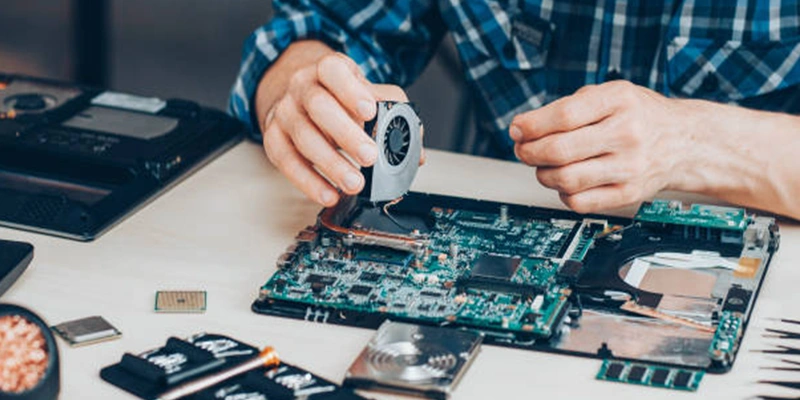
Many clogs respond to proper cleaning. Severe or long term blockages need deeper servicing. In rare cases, the printhead itself has failed and must be replaced, which affects whether a repair is worthwhile.
Our Epson printer repair Melbourne approach starts with a nozzle check and a close look at how the printer has been used. That tells us whether a clean, a service or a replacement part is needed.
We also repair Epson business equipment such as receipt printers, dot matrix printers and document scanners, which have very different designs.
For general printer help across every brand, visit our main printer repair Melbourne page.
Get an Epson Repair QuoteHorizontal bands or gaps show blocked or misfiring nozzles.
A notice that internal ink pads are at the end of their life.
A message telling you to turn the printer off and on that keeps returning.
Paper skewing, double feeding or not feeding at all.
Epson Range
Epson makes everything from compact home printers to rugged business devices. Here is what we see across the range.
Refillable tank printers popular for low running costs. Air in the ink lines, clogged nozzles and overfilled tanks are common faults.
Office inkjets for higher volumes. Document feeder jams, printhead clogs and network faults appear as use grows.
Office printer repairHome all in ones for documents and photos. Cartridge recognition, clogs and scanner faults are typical.
Photo printers with extra inks. Colour accuracy, banding and printhead condition need careful work.
TM series receipt printers in shops and cafes. Cutter faults, paper feed issues and connection problems are the usual repairs.
Impact printers used for multipart forms. Ribbon, print head pin and tractor feed faults are the common complaints.
Flatbed and document scanners. Roller wear, lamp faults and driver issues are the usual causes of trouble.
Compact Epson label makers. Feed, cutter and tape recognition faults are typical.
Faults
These are the Epson faults Melbourne customers bring to us most, and how we handle each one.
Missing lines and faded colours usually mean dried ink in the nozzles. Careful cleaning or a deeper service restores output in most cases.
Fix clogged headsEpson printers collect waste ink in internal pads. When they are full, the printer stops. The pads need servicing before printing can resume.
Service ink padsAir in the ink lines stops ink reaching the printhead. This often happens after tanks run too low or are filled incorrectly.
Fix tank faultsA recurring error asking you to restart often comes from a jam, a carriage obstruction or a sensor fault. We find the trigger.
Fix printer errorsWorn rollers and foreign objects cause jams and crooked prints. We clean the path and replace worn parts.
Fix paper jamsCutter jams, blank receipts and connection drops stop a point of sale counter. We repair them with business hours in mind.
Fix receipt printersNetwork changes and sleep settings cause dropouts. We set up a stable connection for every device you print from.
Offline guideScanner errors can be software, a locked scan head or a lamp fault. We test each to find the real cause.
Fix scanner faultsDifferent symptom. Call 0480 080 288 and describe what the printer is doing.
EcoTank Owners
EcoTank printers are excellent value, yet they need a slightly different approach from cartridge printers. A few simple habits prevent most of the problems we repair.
Letting a tank run almost empty can draw air into the ink line. Top up before the level drops below the lower mark.
Each bottle is keyed to its tank, but mistakes still happen. Mixed colours contaminate the ink path and are difficult to clear.
Even tank printers can clog if left unused for weeks. A short colour print each week keeps ink flowing through the nozzles.
Moving an EcoTank without securing it can cause leaks. Keep it level and use the transport lock if your model has one.
Check tank levels each time you print a large job.
Use nozzle checks first, then clean only blocked colours.
Keep spare ink sealed and out of direct sun.
Self Checks
These steps can resolve simple faults and help us diagnose faster if a repair is needed.
Print a nozzle check from the printer menu or Epson software. Gaps show which colours are blocked.
Run one cleaning cycle, then leave the printer for a few hours before checking again. This gives ink time to soak through.
Paper clips, labels and torn paper can block the carriage. Use a torch to look inside without forcing any parts.
For offline errors, restart the router, then the printer, then your computer.
Stop if you see ink leaking, hear grinding, or the same error returns repeatedly. These need professional attention.
Model name. On the front or top cover.
Error message. Exactly as shown on screen.
Nozzle check print. Bring it or send a photo.
Ink type. Genuine, refilled or compatible.
How long since last use. Helps judge clog severity.
Business Devices
Many Melbourne businesses rely on Epson equipment beyond the office printer. Cafes, shops and warehouses use receipt and dot matrix printers every day.
A receipt printer that stops working can halt sales. Common faults include cutter jams, blank receipts from thermal issues, and lost connections to the point of sale system.
Dot matrix printers still handle multipart forms, invoices and labels. Worn ribbons, damaged print head pins and tractor feed problems are the usual repairs.
Office scanners wear their rollers with heavy use. Replacing them restores reliable feeding without needing a new scanner.
For wider support, see our small business IT support service.
We focus on getting counters and offices running fast.
Printers tested with your point of sale or software.
Notes on what failed and what was replaced.
Value Check
We weigh up every repair against the price of a comparable new printer. Here is the thinking behind that advice.
EcoTank printers often cost more upfront, so keeping one running is good value. Clearing air, servicing nozzles or replacing a roller costs far less than a new tank model.
WorkForce office printers, receipt printers and dot matrix machines are also built for long service. Their wear parts are designed to be replaced.
Photo printers with calibrated colour profiles are another strong case. Replacing them means rebuilding your colour setup from scratch.
A low cost cartridge printer with a failed printhead may cost almost as much to fix as to replace. In that case we tell you plainly and help you pick a suitable replacement.
Very old models without current drivers may also struggle with modern computers. A newer printer can save ongoing frustration.
Whatever you decide, our Epson printer repair Melbourne team will explain the numbers clearly so the choice is yours.
Costs
Pricing follows a proper assessment. Here is what shapes the final figure.
| Repair | What It Covers | Cost Factor |
|---|---|---|
| Assessment | Nozzle checks and fault testing | Model and fault type |
| Printhead Service | Deep cleaning of clogged nozzles | Severity of the clog |
| Ink Pad Service | Waste ink pad servicing | Model design |
| Tank System Repair | Air removal and ink path faults | Extent of the problem |
| Feed Repair | Rollers and paper path | Parts required |
| Business Device Repair | Receipt, dot matrix and scanners | Device and part |
For an estimate, call 0480 080 288 with your Epson model and the symptoms.
Process
Four steps from fault to fresh, clean prints.
Tell us the model, the error and when it started.
We arrange an on site visit or a drop off to suit the job.
We confirm the cause and quote with honest value advice.
We complete the work and print test pages from your devices.
Melbourne
We help homes, offices, cafes and shops across Melbourne with Epson printer problems. Connection and software faults are often quick to fix, while hardware repairs depend on parts.
Students printing assignments, photographers printing portfolios and offices printing invoices all have different needs. We plan each repair around how you actually use the printer, so the fix lasts.
Whether it is a family EcoTank or a shop counter receipt printer, every repair gets the same careful testing and clear explanation.
Also see HP printer repair, Brother printer repair and Canon printer repair.
Book Your Epson RepairNozzle testing. Before and after the repair.
Value advice. Repair only when worthwhile.
Device testing. Printing from your systems.
Written quote. Approved before work.
Further Reading
Useful reading if you want to know more.
Clear quotes and practical repairs for Epson printers across Melbourne. Call or email to book.
Common questions
The Epson questions we answer most.
Clogged nozzles are the most common cause. Air in the ink path or an empty tank can also stop ink reaching the page.
A nozzle check shows which colours are affected.
Epson printers collect waste ink in internal pads. When the pads reach capacity, the printer stops to prevent leaks.
The pads need servicing before you can print again.
Run a nozzle check, then one cleaning cycle, and wait a few hours before checking again. Avoid many cleanings in a row.
If gaps remain, the printhead needs professional servicing.
Yes. We clear air from the ink lines, service clogged nozzles and fix tank related faults.
Most EcoTank faults are repairable.
Yes. We repair TM series receipt printers, including cutter, feed and connection faults.
We test them with your point of sale setup where possible.
Yes. We service dot matrix printers used for forms and invoices, including ribbon, head and tractor feed faults.
These durable printers are usually worth repairing.
Often yes, especially EcoTank, WorkForce and business models. A failed printhead on a low cost model may not be worth it.
We give honest advice before work begins.
The cost depends on the model, the fault and any parts needed. Connection fixes and simple cleaning are usually the most affordable.
You receive a clear quote before work starts.