Dell Laptops
Some Inspiron and Latitude keyboards swap from the top. Thinner XPS models usually need the palm rest assembly replaced.
Dell laptop repair
Full Keyboard and Top Case Replacement
When keys stop working, repeat on their own or never recovered from a spill, cleaning is not always enough. Our laptop keyboard replacement Melbourne service fits a new, model matched keyboard to Windows laptops and MacBooks, including backlit and top case designs. You get a written quote before any work starts.
Repair or Replace
Not every keyboard fault needs a new keyboard. A single sticky key or a few crumbs under the keys can often be cleaned. A software glitch can make a healthy keyboard look faulty.
Replacement becomes the right answer when the fault is physical and widespread. Several dead keys, a row that stopped working, liquid damage under the keys, or keys that type on their own all point to a keyboard that has failed.
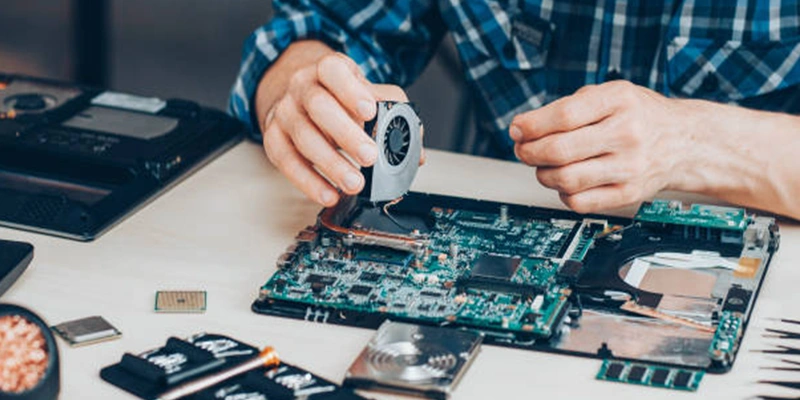
How the keyboard is fitted makes a big difference. On some laptops, the keyboard clips in from the top and swaps fairly quickly. On others, it is riveted or glued into the palm rest, so the whole top case is replaced. MacBooks and many thin Windows laptops use this second design.
Our laptop keyboard replacement Melbourne process starts by testing every key and checking for liquid or board damage. We confirm the right part for your exact model, then quote clearly.
For cleaning and minor fixes, see our laptop keyboard repair page. If only some keys are affected, our guide on a laptop keyboard not working explains what to try first.
Get a Keyboard QuoteMore than one key, or a whole row, has stopped working.
Characters appear on screen without anyone pressing a key.
Keys became sticky or dead after liquid got in.
The keyboard light no longer works on a backlit model.
By Brand
Keyboard design varies by brand and model. Here is what replacement usually involves for each.
Some Inspiron and Latitude keyboards swap from the top. Thinner XPS models usually need the palm rest assembly replaced.
Dell laptop repairMany Pavilion and Envy keyboards are fixed into the top cover. Business EliteBook models are often easier to service.
HP laptop repairThinkPad keyboards are designed for servicing. IdeaPad and Yoga models more often use a combined top case.
Lenovo laptop repairAspire, Swift and Nitro keyboards are commonly part of the palm rest. We source matched assemblies for each model.
Acer laptop repairVivoBook, ZenBook and ROG keyboards are often built into the top case. Gaming models may include RGB backlighting.
ASUS laptop repairMacBook keyboards are riveted into the top case. Replacement is detailed work and usually includes the battery area.
MacBook keyboard helpSurface Pro uses a detachable Type Cover, while Surface Laptop keyboards are built into the chassis and need specialist work.
Surface repairMSI, Razer and other gaming laptops often use per key lighting. We match the layout and lighting type to your model.
MSI laptop repairHow It Works
Understanding the type of replacement your laptop needs helps explain the price and the time involved.
On some laptops, the keyboard is held by clips and screws and connects with a ribbon cable. Replacement is relatively straightforward and usually the most affordable option.
Many modern laptops fix the keyboard to the palm rest with rivets or glue. The whole top section is replaced, which costs more but often includes a fresh palm rest and sometimes a new touchpad.
If one keycap has snapped off but the switch underneath still works, a single cap can sometimes be replaced. It depends on the keyboard style and part availability.
Backlit keyboards include a lighting layer and an extra cable. We match the backlit version so the light works after the repair.
The same laptop model can be sold with different keyboard layouts in different countries. We source the layout that matches your original, so every key is where you expect it.
Usually faster and more affordable.
More involved, but restores the whole palm rest.
Matched part needed for working lights.
Faults
These are the problems that most often end in a new keyboard rather than a clean.
Sugary drinks leave residue that corrodes keyboard contacts. Even after drying, keys may stick or fail. Replacement is often the lasting fix.
Spill helpWhen a whole row or section fails, the keyboard circuit is usually damaged. A new keyboard restores every key.
Book a replacementPhantom keystrokes often come from a shorted keyboard circuit. Replacement stops the random typing.
Fix ghost typingSnapped keycaps and broken mechanisms from drops or heavy use may need a new keyboard if parts are not available.
Fix broken keysIf the keyboard light stops working and the cable is fine, the lighting layer has usually failed.
Fix backlightA swollen battery or excess heat can warp the keyboard and top case. We replace the damaged parts and address the cause.
Battery replacementNot sure if you need a new keyboard. Call 0480 080 288 and describe which keys are affected.
Check First
Before paying for a new keyboard, it makes sense to rule out the simple causes. These checks are safe and take only a few minutes.
A restart clears software glitches that can stop the keyboard responding. If keys work at the start up screen but not in Windows, the cause may be software.
Features such as Filter Keys and Sticky Keys can make a keyboard behave strangely. Check the accessibility settings and turn them off if needed.
A damaged keyboard driver can cause dead or wrong keys. Reinstalling it is quick and safe.
Plug in a USB keyboard. If it works perfectly, the laptop itself is fine and the built in keyboard is the problem.
Use compressed air at an angle to clear crumbs. Do not pry keys off, as clips break easily.
If keys type the wrong symbols, the input language or layout may have changed. Check the language settings before assuming a hardware fault.
Exact model number. Usually under the laptop.
Which keys fail. Note them or take a photo.
Any spills. What liquid and when.
Backlit or not. So we order the right part.
Login password. To test every key afterwards.
Costs
The price depends mostly on how the keyboard is fitted and the part required. You receive a written quote first.
| Replacement Type | What It Involves | Cost Factor |
|---|---|---|
| Diagnosis | Key testing and damage check | Free of charge |
| Clip In Keyboard | Remove and fit a new keyboard | Model and part cost |
| Top Case Assembly | Replace keyboard with palm rest | Assembly cost and labour |
| Backlit Keyboard | Matched backlit replacement | Lighting type |
| MacBook Keyboard | Riveted top case replacement | Model and generation |
| Liquid Damage Extra | Board cleaning after a spill | Extent of corrosion |
For a quote, call 0480 080 288 with your laptop model number.
Parts and Quality
Not all replacement keyboards are equal. Here is what we consider when sourcing yours.
Laptop keyboards vary even within a single product line. Cable length, connector position and screw points all need to match, or the keyboard will not fit properly. We confirm the part against your exact model number.
A good replacement should feel like the original. Key travel, spacing and finish all affect how comfortable the keyboard is to type on for long periods.
Depending on the model, original manufacturer parts or quality compatible parts may be available. We explain the options and any difference in cost or availability before ordering.
For work laptops used all day, durability matters most. We favour parts that will stand up to heavy typing and explain the choice clearly.
Prevention
After a laptop keyboard replacement in Melbourne, a few habits help the new keyboard stay in good condition.
Crumbs and drips are the main enemies of laptop keyboards. A little distance prevents most damage.
Turn the laptop off and use a soft brush or compressed air. Avoid sprays directly on the keys.
Objects left on the keyboard can damage keys and the screen when the lid closes.
A thin silicone cover can protect against spills and dust, especially for children and busy workspaces.
If you work at a desk for long hours, an external keyboard reduces wear on the built in one. It also lets you raise the laptop screen to a more comfortable height.
Process
Four steps from dead keys to a fully working keyboard.
Call or email the model number and which keys are affected.
We test every key and check for liquid or board damage.
You approve the quote and we source the matched part.
We fit the keyboard and test every key and the backlight.
Melbourne
We replace laptop keyboards for students, professionals and families across Melbourne. Timing depends on whether the part is in stock or needs ordering, and we tell you upfront.
Our laptop keyboard replacement Melbourne service suits everyone from students with a single dead key row to offices with several worn work laptops. Each job gets the same careful testing before and after the new keyboard goes in.
While the laptop is open, we can also check the fan, battery and thermal paste. It is a convenient time to catch other wear before it becomes a problem.
See the areas we serve for coverage.
Book a Keyboard ReplacementMatched part. Correct layout and lighting.
Full key test. Every key checked.
Spill check. Board inspected for damage.
Written quote. Approved first.
Further Reading
Background reading before you book.
Free assessment, written quotes and matched parts. Call or email to book.
Common questions
The keyboard questions we hear most.
Yes. Almost every laptop keyboard can be replaced, either on its own or as part of the top case.
The method depends on your model.
One sticky key can often be cleaned. Several dead keys, ghost typing or spill damage usually need replacement.
We test the keyboard and recommend the right option.
It depends on the model and whether the keyboard is clip in or part of the top case.
Diagnosis is free and the quote is written.
Yes. MacBook keyboards are riveted into the top case, so the job is more detailed, but it is a common repair.
We confirm the right part for your model first.
If your laptop has a backlit keyboard, we source a matching backlit replacement.
We test the light before returning the laptop.
Often the keyboard needs replacing after a spill, and we also check the board for corrosion.
Switch the laptop off and bring it in quickly.
No. Replacing the keyboard does not touch your storage or files.
Your data stays exactly as it was.
Clip in keyboards are usually quick once the part is available. Top case replacements take longer.
We give you a timeframe with the quote.