Dell Laptop Water Damage
Dell laptop water damage repair on Inspiron, XPS and Latitude models often reaches the keyboard membrane and board fast. We strip, clean and stop corrosion early.
Dell repairs
Liquid Spilled On Laptop Melbourne
A liquid spilled on laptop is an emergency, and what you do in the first few minutes matters most. Power it off, do not charge it, do not turn it back on, and bring it to us fast. Our Melbourne team handles emergency water damage laptop repair Melbourne wide for every brand. The sooner we start, the more we can save. Call now for urgent help.
Do This First
When liquid is spilled on a laptop, speed beats everything. Liquid causes two kinds of harm. The first is an immediate short circuit. The second is corrosion, which keeps eating the board for days after the spill.
Related services: Keyboard repair.
The single most important thing is to cut the power. Hold the power button down until the laptop switches off completely. Then unplug the charger. Do not wait to save anything, the power is the danger.
Next, do not turn it on and do not charge it to test it. Powering a wet board is the most common way a recoverable laptop becomes a dead one. Leave it off and bring it straight to us.
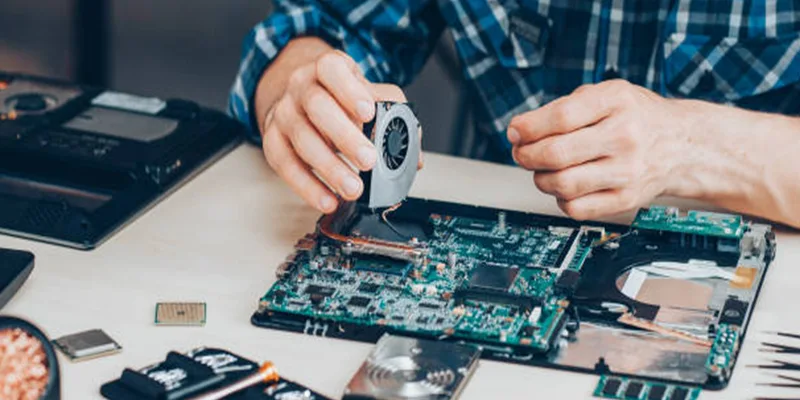
A fast laptop water damage repair gives the best result. We strip the laptop, clean the board ultrasonically, stop the corrosion, and test every part. Below are the exact steps and brand notes.
Get Emergency HelpHold the power button until it shuts down fully. Power on a wet board is the biggest cause of total loss.
Unplug the charger and leave it unplugged. Do not try to charge the laptop to see if it still works.
Resist testing it. Every power up while wet spreads damage. Leave it off until a technician sees it.
Tilt it open side down to drain liquid, then bring it to us fast. Speed limits the corrosion.
Every Brand Covered
Every brand has its own board layout and sealing, which affects how liquid spreads. Find your brand below, then call us urgently. We do emergency water damage repair on every major brand in Melbourne.
Dell laptop water damage repair on Inspiron, XPS and Latitude models often reaches the keyboard membrane and board fast. We strip, clean and stop corrosion early.
Dell repairsHP laptop water damage repair on Pavilion, Envy and Omen models can wick under the board quickly. Fast ultrasonic cleaning gives the best recovery.
HP Laptop RepairLenovo laptop water damage repair on ThinkPad, IdeaPad and Yoga models varies, as some ThinkPads have drainage channels. We still strip and clean fully.
Lenovo repair detailsAcer laptop water damage repair on Aspire, Swift and Nitro models often hits the board through the keyboard. We act fast to stop corrosion spreading.
Acer repair detailsAsus laptop water damage repair on ZenBook, VivoBook and ROG models can reach the dense gaming board fast. Speed is critical for recovery.
ASUS Laptop RepairMacBook water damage repair on Air and Pro models is urgent, as the board is dense and corrodes fast.
MacBook repair detailsSurface water damage repair is specialist work, as the sealed bonded chassis traps liquid against the board. We open it carefully and clean fully.
Surface Pro serviceToshiba laptop water damage repair on Satellite and Dynabook models often spreads from the keyboard to the board. Early cleaning gives the best outcome.
Toshiba laptop serviceSymptoms We Fix
Liquid damage shows in many ways, sometimes straight away, sometimes days later as corrosion spreads. Find your symptom below. Every one is an urgent job we handle daily.
The most common case is a laptop won't turn on after spill. The board has shorted or corroded. Do not keep trying to power it. Bring it in fast for the best recovery.
Get Urgent HelpYou spilled water on laptop keyboard and now keys stick, repeat or do nothing. A laptop spill keyboard not working means liquid sits under the keys and creeps to the board. We clean both before corrosion sets in.
Fix Wet KeyboardSpilled coffee on laptop is worse than water, as sugar and milk leave a sticky conductive film. It must be cleaned out fully and fast, or the corrosion accelerates.
Fix Coffee SpillWine, juice and soft drink are highly corrosive and sticky. They damage a board faster than plain water. An urgent ultrasonic clean gives the best chance of recovery.
Fix Sticky SpillAfter a spill the screen may stay black or show odd colours. Liquid can reach the display cable or panel. We trace the path and repair what the liquid touched.
Fix Spill DisplayA wet laptop repair is urgent even if it still seems to work. This laptop liquid damage repair stops corrosion that grows silently for days. An early strip and clean prevents a working laptop dying later.
Book Wet RepairIf you dropped laptop in water, full submersion needs immediate action. Do not power it. The whole board must be cleaned and dried properly to have any chance.
Get Urgent HelpEven if the laptop cannot be saved, your data often can. We can recover files from the drive of a liquid damaged laptop in most cases. Ask us about recovery.
Recover My DataJust had a spill. Do not turn it on. Call 0480 080 288 now and we will tell you exactly what to do while you bring it in.
Step by Step
These steps give your laptop the best chance after a spill. Do them in order and do them fast. The first hour matters far more than anything that happens later.
Hold the power button down until the laptop fully switches off. Do not use the menu, just force it off. Then unplug the charger and any cables.
If the battery is removable, take it out. Unplug every accessory and USB device. The aim is zero power anywhere in the laptop.
Open the lid fully and turn the laptop upside down like a tent. Let liquid run out, not deeper in. Wipe away anything you can reach with a dry cloth.
Do not turn it on, do not charge it, and do not use rice. Rice does nothing for the corrosion inside. The only real fix is a professional clean.
Call us straight away, before you do anything else if you can. The faster a wet laptop repair starts, the more we save. Every hour the corrosion spreads, so treat this as an emergency.
Keep it powered off. Do not turn it on to check it, even once, on the way to us.
Do not charge it. Leave the charger at home. Power on a wet board causes total loss.
Tell us the liquid. Water, coffee, wine or juice. Sticky drinks need a different clean.
Note the timing. When it happened, since the corrosion clock starts at the spill.
Bring it tilted. Carry it open and tipped so liquid drains out, not toward the board.
Mention important data. If files matter, tell us so we prioritise recovery.
Come in fast. The sooner we start, the better the outcome. This is time critical.
What It Costs
The water damage repair cost depends on how far the liquid spread and how fast it was caught. Here is what moves the price.
| Service Stage | What It Covers | Cost Factors |
|---|---|---|
| Emergency Assessment | Strip down and damage evaluation | Free of charge |
| Ultrasonic Board Clean | Full board clean to stop corrosion | Core service, depends on spread of liquid |
| Keyboard Replacement | Replace a liquid damaged keyboard | Depends on model and part availability |
| Component Level Repair | Replace corroded board components | Depends on which parts the liquid reached |
| Battery Replacement | Replace a liquid affected battery | Varies by model and battery type |
| Data Recovery | Recover files even if the laptop is lost | Depends on the state of the storage drive |
| Early Caught Spill | Clean before corrosion sets in | Usually the most affordable outcome |
Speed lowers the cost and lifts the odds. Call 0480 080 288 now for an emergency water damage repair Melbourne assessment.
How It Works
From your urgent call to a cleaned and tested laptop, here is exactly how our emergency laptop repair Melbourne service works.
Call straight after the spill. We tell you what to do while you bring it in, and prioritise it as an urgent job.
We open the laptop fast, remove power, and assess how far the liquid spread before corrosion can take hold.
We clean the board ultrasonically to remove residue and stop corrosion, then quote the repair in writing.
We replace any damaged parts, test every function, and confirm the laptop is stable before you collect it.
Spill Response
Corrosion starts within hours, so the sooner a spilled laptop reaches the bench, the better the odds. Do not charge it or turn it back on to check.
We open the laptop, clean the board and test every component before quoting the repair.
Get Emergency Help NowPower off first. Do not try to turn it on.
Board cleaned. Removes residue before it corrodes.
Keyboard checked. Spills often reach it first.
Data saved where possible. Even if the board is lost.
Further Reading
Useful reading if you want to know more.
Do not turn it on. Every minute counts, call or email now.
Common questions
Questions we hear every week. If yours is not here, call our team now for urgent advice.
Power it off immediately by holding the power button until it shuts down. Unplug the charger. Do not turn it on and do not charge it. Tip it open side down to drain, then bring it to us fast.
Call us straight away so we can guide you and prioritise the job. Speed is everything here.
Not necessarily. Liquid causes corrosion that grows for days. A laptop that works now can fail later as the residue eats the board. A wet laptop repair is still urgent even if it seems okay.
An early strip and clean prevents a working laptop dying a few days after the spill.
No. Rice may absorb a little surface moisture, but it does nothing about the corrosion already forming on the board inside. It also wastes the critical early hours.
The only reliable fix is a professional strip down and ultrasonic clean, done as soon as possible.
The water damage repair cost depends on how far the liquid spread and how fast it was caught. An early caught spill is usually the most affordable. Heavy corrosion costs more.
You get a written quote after we strip and inspect the laptop.
Usually yes. Even when a liquid damaged laptop cannot be saved, the storage drive is often intact. We can recover your files from the drive in most cases.
Tell us if data matters and we will prioritise recovery as part of the job.
Yes. Spilled coffee on laptop boards, along with wine, juice and soft drink, leaves a sticky conductive residue that corrodes faster than plain water. These need a thorough clean fast.
Tell us the liquid when you call so we prepare the right cleaning process.
Yes, we treat spills as emergencies. We offer same day water damage repair where you can get the laptop to us quickly. The faster we start, the more we can save.
Call the moment the spill happens and we will tell you the quickest way to reach us.
Yes. We do water damage repair for Dell, HP, Lenovo, Acer, Asus, Apple MacBook, Microsoft Surface and Toshiba. Each brand has its own board layout and our technicians know them.
Call us now with your brand.