Dell Laptop Data Recovery
Most use standard SSDs or hard drives we can extract and read safely.
Dell repairs
Laptop Data Recovery Melbourne
Losing photos, work or records to a dead laptop is stressful, but the data is often still there even when the laptop is not. Our Melbourne team handles laptop data recovery for every major brand, from a failed drive to a water damaged machine. The drive is usually recoverable.
There Is Hope
When a laptop dies, people assume the data is gone with it. In most cases it is not. The files live on the storage drive, and that drive is usually a separate part that survives a laptop failure intact.
More recovery services: hard drive recovery, SSD data recovery, external hard drive repair and our data recovery cost guide.
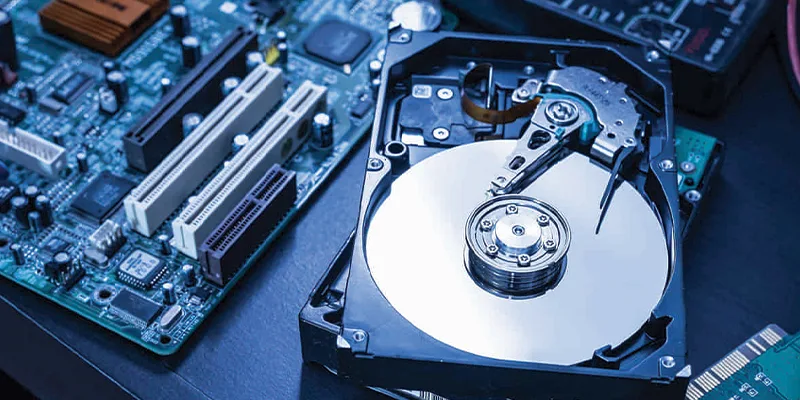
A laptop won't turn on, but the drive inside is often perfectly readable. We remove the drive and recover data from laptop storage safely, and a dead laptop data recovery often returns most or all of the files. Even a failed hard drive recovery or a water damaged laptop often returns most or all of the data.
The key is to act carefully. Repeated power on attempts, DIY software, or running a damaged drive can turn a recoverable situation into a lost one. The safest first step is a professional assessment.
Below we explain what we recover from, the brand specific notes, the safe steps to take now, and how our laptop data recovery Melbourne service gets your important files back.
Get a Free AssessmentThe laptop will not turn on, but the drive inside is usually fine. We extract it and recover the files.
A clicking, slow or unreadable drive often still holds recoverable data. Our hard drive data recovery and laptop file recovery use the right careful approach.
Even after a spill, the storage drive is often intact. We clean and read it to recover your data.
Accidentally deleted files or a corrupted drive can often be rebuilt if you stop using the laptop fast.
Every Brand Covered
Drive type and access differ by brand and model. Find your brand below for our specific notes, then book a free assessment. We recover data from every major brand sold in Melbourne.
Most use standard SSDs or hard drives we can extract and read safely.
Dell repairsSome Spectre models solder the storage, which needs specialist recovery we handle.
HP Laptop RepairMost use accessible drives we extract and recover quickly.
Lenovo repair detailsMost use standard drives we can read even when the laptop is dead.
Acer repair detailsZenBook units may use soldered storage, which needs specialist recovery we provide.
ASUS Laptop RepairMacBook data recovery covers Air and Pro models, where storage is often soldered and encrypted.
MacBook repair detailsThe storage is deep inside a bonded chassis, so this is specialist work we handle carefully.
Surface Pro serviceMost have accessible hard drives or SSDs we can extract and read.
Toshiba laptop serviceSituations We Recover
Data loss happens in many ways. Find your situation below. Each one is a recovery job we handle every working day across Melbourne.
A laptop won't turn on data recovery job is the most common. The laptop is dead but the drive is usually fine. We remove it and recover your files safely.
Recover From Dead LaptopA deleted files recovery for documents or photos removed by mistake. Stop using the laptop immediately, since new data overwrites the old. We rebuild what is recoverable.
Recover Deleted FilesA failed hard drive recovery where the drive clicks, is very slow, or is not detected. We use careful methods to read it and pull off your important data.
Recover Failed DriveWater damaged laptop data recovery after a spill. Even when the laptop is lost, the drive is often intact. We clean and read it to recover your files.
Recover After SpillA corrupted drive recovery where files will not open or the drive asks to be formatted. Do not format it. We rebuild the file structure and recover the data.
Recover Corrupted DriveThe laptop runs but the drive is missing from the system, or shows as empty. This is often recoverable with the right approach. We assess and recover it.
Recover Hidden DriveSSD failures behave differently to hard drives and need specialist handling. Our ssd data recovery Melbourne service recovers data from failed and unresponsive solid state drives where possible.
Recover SSD DataThe drive is fine but you are locked out of the account or password. We can often recover the files directly from the drive without the login.
Recover Locked DataImportant data at risk. Stop using the laptop and call 0480 080 288 now. The sooner we assess it, the better the chance of full recovery.
Protect the Data
What you do before recovery matters as much as the recovery itself. The wrong actions can overwrite or destroy data that was otherwise recoverable. These steps protect your files.
If files are deleted or the drive is failing, stop using the laptop now. Every new file written can overwrite the data you want back. Power it down and leave it.
Free recovery software run on the failing drive can make things worse, especially on a physically failing or water damaged drive. Leave it for a professional assessment.
Repeated power on attempts on a dead or failing laptop can damage the drive further. One careful professional read is far safer than many failed boots.
Write down the key files or folders you must get back, such as photos, documents or email. A clear priority list helps us focus the recovery.
Call us as soon as data is at risk, especially if the drive clicks, the laptop is dead, liquid was spilled, or files vanished. Early action gives the best recovery odds.
Stop using the laptop. Do not save, install or run anything that could overwrite data.
Note what happened. Dead laptop, failed drive, deleted files, spill, or a corrupt drive.
List priority files. The photos, documents or folders you most need recovered.
Find the model. The model number on the base lets us plan the safest extraction.
Mention any spill. Tell us if liquid was involved, since that changes the approach.
Bring a destination. An external drive to receive your recovered data speeds things up.
Ask for a written quote. We provide one after the free assessment, before any work.
What It Costs
The laptop data recovery cost depends on why the data is lost and the state of the drive. Here is what moves the price. The assessment is free under and you get a written quote before any work.
| Recovery Type | What It Covers | Cost Factors |
|---|---|---|
| Free Assessment | Evaluate the drive and recovery odds | Free of charge |
| Dead Laptop Recovery | Extract a healthy drive from a dead laptop | Usually the most affordable recovery |
| Deleted File Recovery | Rebuild deleted files from a healthy drive | Affordable when caught early |
| Logical Drive Recovery | Repair a corrupt file system and recover | Moderate, depends on corruption extent |
| Failed Drive Recovery | Recover from a physically failing drive | Higher, careful specialist handling |
| Water Damaged Drive | Clean and read a liquid affected drive | Depends on the state of the drive |
| Soldered or Encrypted Storage | Specialist recovery from bonded storage | Depends on the device and encryption |
For a real figure on your situation, call 0480 080 288 and describe what happened for a free data recovery assessment.
How It Works
From the first call to your files back in hand, here is exactly how our laptop data recovery Melbourne service works.
Call or message us what happened and which files matter most. We give initial guidance and book the laptop in fast.
We safely assess the drive and the recovery odds, then give a written quote. No work starts until you approve it.
We recover the data using the safest method for your drive, working on a copy where possible to protect the original.
We hand back your recovered data on an external drive, check it opens correctly, and explain what was saved.
Recovery Service
Recovery starts with a copy of the drive, not repeated attempts on a failing one. That is why we ask you to stop using the laptop and bring it straight in.
We tell you which files are readable before you pay for the full recovery, and return them on a new drive.
Book an Assessment TodayDrive cloned first. No further wear on the original.
Preview of files. Before you commit.
SSD and hard drive. Both handled.
Confidential. Data never leaves our control. Meet the team.
Further Reading
Background reading before you book.
Stop using the laptop and call now. Call or email now.
Common questions
Questions we hear every week. Anything else, just call.
Usually yes. A laptop won't turn on data recovery job is our most common. The drive is a separate part and is often perfectly readable even when the laptop itself is dead.
We remove the drive, read it safely, and recover your files. Bring it in for a free assessment.
The laptop data recovery cost depends on why the data is lost and the state of the drive. A healthy drive in a dead laptop is the most affordable. A physically failed drive costs more.
The assessment is free under and you get a written quote before any work.
Stop using the laptop immediately. Every new file written can overwrite the deleted data and make it unrecoverable. Do not install recovery software onto the same drive.
Bring it to us quickly. The sooner we start, the more we can usually recover.
Often yes. Even when a water damaged laptop cannot be saved, the storage drive is frequently intact. We clean and read the drive to recover your files.
Power the laptop off, do not charge it, and bring it in fast for the best result.
Not necessarily, but a clicking drive is failing, so act fast. Do not keep powering it on, as each attempt can cause more damage and reduce the recovery chance.
We use careful methods for a failed hard drive recovery to read what is still accessible.
Yes. We offer emergency data recovery Melbourne wide for time critical jobs, such as urgent work files or a water damaged laptop before a deadline.
Call straight away and we will prioritise the assessment and recovery.
Yes. Your data is handled confidentially and with care throughout the recovery. We only access what is needed to recover and verify your files.
We treat every recovery with the privacy you would expect for personal and business data.
Yes. We do laptop data recovery for Dell, HP, Lenovo, Acer, Asus, Apple MacBook, Microsoft Surface and Toshiba. Each brand has its own drive type and our technicians know them.
Call us with your brand and situation.
Warning signs include clicking or grinding noises, very slow startup and file access, frequent freezes or blue screens, files that will not open or go missing, and disk error messages.
If you notice any of these, back up important files straight away and limit use of the laptop, as recovery is most successful before the drive fails completely.