

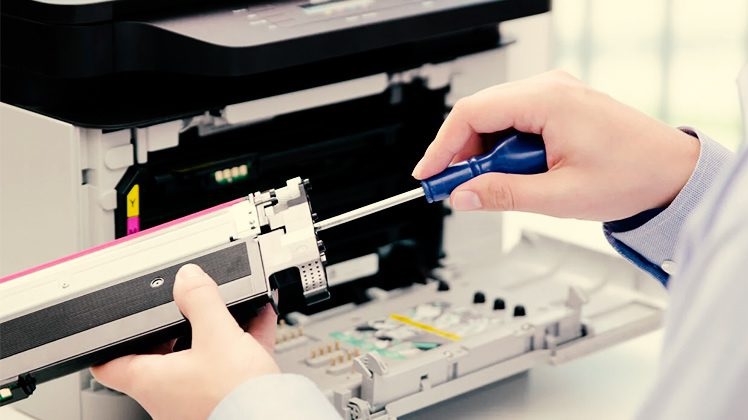
Printer breakdowns hit hard in Melbourne’s fast-paced offices and homes, especially when deadlines loom during peak hours on Flinders Street or remote work setups in Fitzroy. Whether it’s a stubborn paper jam or a “printer offline” nightmare, reliable printer repair Melbourne services can get you printing again without the hassle. This guide dives into printer service and repair essentials, troubleshooting steps for fix printer near me urgency, costs, top local shops, and prevention tips tailored for our city’s humid climate and high-volume printing needs.
From inkjet woes in student sharehouses to laserjet failures in CBD businesses, we’ll cover it all with detailed steps, real-world examples, and Melbourne-specific advice to save time and money. Expanded sections provide deeper troubleshooting, model comparisons, and long-term strategies to keep your printer running smoothly through humid summers and dusty winters.
Common Printer Problems and Quick DIY Fixes
Printer issues often stem from simple oversights like improper paper loading or outdated drivers, but they disrupt workflows instantly in Melbourne’s demanding environments. Here’s a detailed breakdown of the top 10 culprits with step-by-step fix printer near me solutions before calling professionals. Each fix includes multiple approaches for different skill levels, ensuring high success rates.
-
Paper Jams (Most Common – 40% of Calls): Caused by mismatched paper sizes, dust buildup from Melbourne’s urban air, or overfilled trays. Basic Fix: Power off, open all access doors (front, rear, duplexer), gently pull jammed paper forward along its path (never backward to avoid tears). Advanced: Clean pickup rollers with 90% isopropyl alcohol on a lint-free cloth—rub gently in circular motion. Wipe sensors with compressed air. Reset: Unplug for 60 seconds, reload <50 sheets of 80gsm paper fanned out. Prevention: Store paper in sealed packs away from humidity.
-
Printer Offline (Wi-Fi/Network Issues): Frequent in Melbourne apartments with thick walls or NBN congestion. Quick Fix: Restart printer and router (wait 30 seconds between), confirm both on same 2.4GHz network. Windows: Settings > Devices > Printers > Run Troubleshooter. Mac: System Preferences > Printers & Scanners > Reset Printing System. Advanced: Set static IP via printer menu (match router’s 192.168.1.x range), disable VPN/firewall temporarily. Test with ping [printer IP] from command prompt.
-
Low Ink/Toner Warnings (False Alerts): Dirty sensors or incompatible cartridges trigger this, especially with third-party inks drying in humid conditions. Basic: Run 2-3 cleaning cycles from printer control panel (Menu > Maintenance > Clean Printhead). Deep Clean: Remove cartridges, wipe contacts with damp microfiber cloth (distilled water only), let dry 10 minutes. Firmware Update: Download from manufacturer site to recalibrate sensors. Avoid cheap refills—they damage printheads long-term.
-
Faded Prints or Ghosting: Clogged nozzles in inkjets or low toner density in lasers. Inkjet: Print nozzle check pattern, align printheads via utility software. Run cleaning cycle max twice daily. Laser: Shake toner cartridge gently side-to-side, run density adjustment (Menu > Calibration). Replace if coverage <20%. Pro Tip: Melbourne’s 30°C+ summers evaporate ink—print weekly color test pages.
-
Streaks, Spots, or Smudges: Dirty drums, fusers, or scanner glass. Basic: Wipe glass and mirrors with glass cleaner (no streaks). Laser: Remove toner, inspect drum for scratches—run maintenance mode. Persistent: Drum needs replacement every 15,000 pages. Clean corona wire by sliding blue tab 3x.
-
Print Queue Stuck or Frozen Jobs: Crashes from corrupted spool files during heavy PDF printing. Windows Fix: Services.msc > Stop Print Spooler, delete C:\Windows\System32\Spool\PRINTERS*.*, restart service. Mac: Activity Monitor > Quit Print Spooler, empty ~/Library/Printers folder. Prevention: Cancel jobs from printer panel first.
-
Won’t Print from Mobile/Tablet: App incompatibility or AirPrint glitches. iOS: Ensure AirPrint-enabled, same Wi-Fi, restart. Android: Install HP Smart/Epson iPrint, enable mobile printing in app. Troubleshoot: Forget network on printer, re-pair via WPS button (press router then printer within 2 minutes).
-
Ghost Jams (No Visible Paper): Sensor residue from tiny shreds fools electronics. Inspect: Shine flashlight into paper path, check duplexer gears for fragments. Reset: Bridge sensor contacts with paperclip (power off first). Clean: Vacuum ports gently, never use vacuum on internals.
-
Slow Printing or Long Warm-Up: Overheating, full buffers, or outdated firmware. Quick: Clear temp files (CCleaner), switch to draft/Economy mode. Advanced: Update firmware via USB (direct to printer), elevate unit for airflow in hot Melbourne offices.
-
Random Characters/Garbled Output: Corrupt drivers or cable issues. USB: Swap cable, try different port. Wireless: Reinstall drivers as administrator from HP/Brother/Canon site (avoid Windows Update versions). Test with Notepad plain text first.
DIY handles 70-80% of cases under 30 minutes. If errors persist after 3 attempts or you hear grinding/burning smells, call printer service and repair experts immediately to prevent escalation.
When to Call Professional Printer Repair Melbourne Services
DIY limits hit hardware failures like seized fuser rollers (common in office lasers from paper dust) or motherboard faults from power surges during Melbourne storms. Professionals use diagnostic tools—multimeters for voltage, firmware programmers for chip resets—delivering same-day fix printer near me service with 95% uptime guarantees.
Full Process:
-
Diagnosis (Free/Under $50): Remote login or free CBD pickup—many shops like Flinders Lane spots offer Uber returns.
-
Parts Sourcing: OEM for reliability (HP CF283A toner, Epson T502 tanks); aftermarket saves 30% but risks warranty.
-
Repair Timeline: Jams/offline: 1-4 hours. Fuser/drum: 24 hours. Rare boards: 3-5 days express air.
-
Post-Fix: Full test suite (100 pages mixed), 90-180 day warranty, firmware optimization.
Red Flags for Pros: Error codes repeating (e.g., Brother 0xF9), unusual odors, paper curling/burning, or print quality worsening over days. Melbourne businesses save 40% via service contracts.
Cost Breakdown for Printer Service and Repair in Melbourne
2026 Melbourne averages (AUD, GST-inclusive) reflect rising parts costs but competitive labor. Inkjets cheaper due to simpler designs; lasers dominate offices. Detailed table with scenarios:
| Printer Type | Common Issue | DIY Cost | Pro Repair Cost | Parts Only | Notes |
|---|---|---|---|---|---|
| Inkjet Home (Epson/HP DeskJet) | Paper Jam/Nozzle Clogs | $0-25 | $80-150 | $20-50 | Head cleaning kit $15 |
| Laser SMB (Brother HL/Canon) | Toner/Fuser Failure | $25-60 | $120-250 | $50-120 | Fuser every 50k pages |
| All-in-One Family | Scanner/Offline/Wi-Fi | $10-35 | $100-200 | $30-80 | ADF motor $60 |
| Commercial/Workgroup | Drum/Network Setup | $50-120 | $200-400 | $100-250 | Toner kits $80 |
| Wireless Multifunction | Queue/Wi-Fi Drops | $0-25 | $90-180 | $20-60 | Antenna upgrade $40 |
| EcoTank Large Volume | Pump/Reservoir Leaks | $20-50 | $110-220 | $40-90 | Rare but messy |
Add-Ons: Callout $50-100 (Footscray to Brighton), express +50%, contracts -20% for 5+ units. Total savings: Lasers average 2c/page vs inkjet 10c. Bulk office servicing drops to $99/unit annually.
Top Printer Repair Shops in Melbourne (2026 Picks)
Melbourne’s repair ecosystem shines with 100+ specialists, vetted for printer repair Melbourne via 4.5+ ratings. Walk-ins CBD-heavy; mobiles cover suburbs.
-
PrinterFix CBD (Flinders Lane): HP LaserJet kings—same-day printer service and repair from $99. Free diagnostics, coffee bar, 98% first-visit fix rate. Ideal for urgent Flinders St offices.
-
TechMend Richmond: Brother/Epson experts, free eastern suburbs pickup. Eco-recycling, on-site office fleets. Specializes in MFC series queue clears.
-
Melbourne Printer Pros (Docklands): 24/7 fix printer near me app bookings, commercial lasers. Network VLAN setups, NRMA-approved for insurance.
-
InkJet Solutions Southbank: Budget inkjet haven—$79 entry fixes. Yarra River tram access, EcoTank refills $5/tank.
-
ProPrint Repairs St Kilda: High-volume fleets, drum rebuilds. Beachside location, handles 50-unit contracts with SLA guarantees.
Selection Tips: Eastern suburbs? TechRevive Box Hill. Verify ABN via ABR.gov.au, demand OEM parts quotes upfront. Most offer 6-month labor warranties.
Printer Types, Model-Specific Fixes, and Long-Term Care
Inkjet (Home/Student): Humidity clogs nozzles fast—Epson L4150 EcoTank excels ($0.01/page). Fix: Weekly test prints, upright storage.
Laser (Office/SMB): Brother HL-L2350DW durable for 30k pages/month. Fix: Annual fuser service ($150) prevents 80% failures.
All-in-One Hybrids: HP OfficeJet Pro—driver-heavy. Canon PIXMA: Auto nozzle checks. Fixes:
-
HP DeskJet 2700: Driver from hp.com resolves 90% offline issues.
-
Brother MFC-L2710DW: Panel reset clears queues (Stop + Power).
-
Canon PIXMA TS8350: Glass clean for streaks.
-
Epson L3250: Reservoir flush for leaks ($20 DIY kit).
Office/gaming: VLAN for security, Ethernet over Wi-Fi.
Repair vs. Replace Decision Matrix
Simple Rule: Repair if <40% new price and <5 years old. $150 Brother fuser on $500 unit? Fix. $300 board on $400 printer? Replace.
Replace Triggers:
-
Age >5 years (tech obsolete).
-
Costs >5c/page ongoing.
-
Breakdowns >3x/year.
-
Commercial: ROI <2 years.
Melbourne buys: Officeworks refurbs 20-30% off, JB Hi-Fi trade-ins $50-300 credit, Amazon AU next-day.
Prevention Tips for Melbourne Printer Users
Variable climate (humid 80% summers, dusty northerlies) demands proactive care:
-
Weekly: Roller wipe, firmware check, test page.
-
Monthly: Deep clean (alcohol/vacuum), paper path inspect.
-
Paper: 80gsm flat-stored, fan stacks, no recycled for lasers.
-
Environment: 20-25°C, elevated stand, dust covers.
-
Usage: <20% duty home, genuine supplies (bulk toner 50% savings).
-
Network: Static IP, 2.4GHz dedicated, Ethernet priority.
-
Apps: HP Smart/Brother iPrint for alerts.
Follow this: Breakdowns drop 85%.
Warranty, Insurance, and Eco-Friendly Options
Warranties: 1-2 years standard; extend via Allianz accidental ($99/year, $1k cover). Claims: Photos, 2x quotes, serial ready.
Eco: Shops recycle 90% (Vic EPA bins free). Refurbs save 60% emissions, last 2x longer with rebuilt drums.
FAQs: Printer Repair Melbourne Essentials (6 Key Questions)
1. How quick is printer service and repair in Melbourne?
Same-day for jams/offline (2-6 hours CBD); 1-2 days for fusers/drums. Express pickup adds $50 but 95% under 24 hours.
2. What’s the typical cost for HP LaserJet fuser replacement?
$180-250 total (parts $120 + labor). Includes test prints, warranty; callout extra $60 for suburbs.
3. How do I fix a Brother printer showing offline?
Power cycle both devices, WPS pair (press router then printer), download drivers from Brother site. Firewall off temporarily.
4. Why does mobile printing fail frequently?
Wi-Fi band mismatch or app cache. Reinstall HP Smart/Epson app, use 2.4GHz only, test photo first.
5. Are service contracts worth it for offices?
Yes—$20/month/device covers unlimited fixes, priority service, 20% parts discount. ROI in 3 months for 5+ units.
6. How to prevent recurring paper jams?
Clean rollers monthly with isopropyl, use 80gsm fanned paper, check tray alignment. Store paper sealed from humidity.
Secure Reliable Printer Repair Today
Melbourne’s printing demands—from tax season rushes to home office invoices—don’t pause for glitches. Choose printer repair Melbourne pros for seamless fix printer near me results and lasting printer service and repair. Quick jams to full rebuilds keep productivity high.
Share your model and issue below—which fix saved you? Contact top shops today for worry-free printing.
