

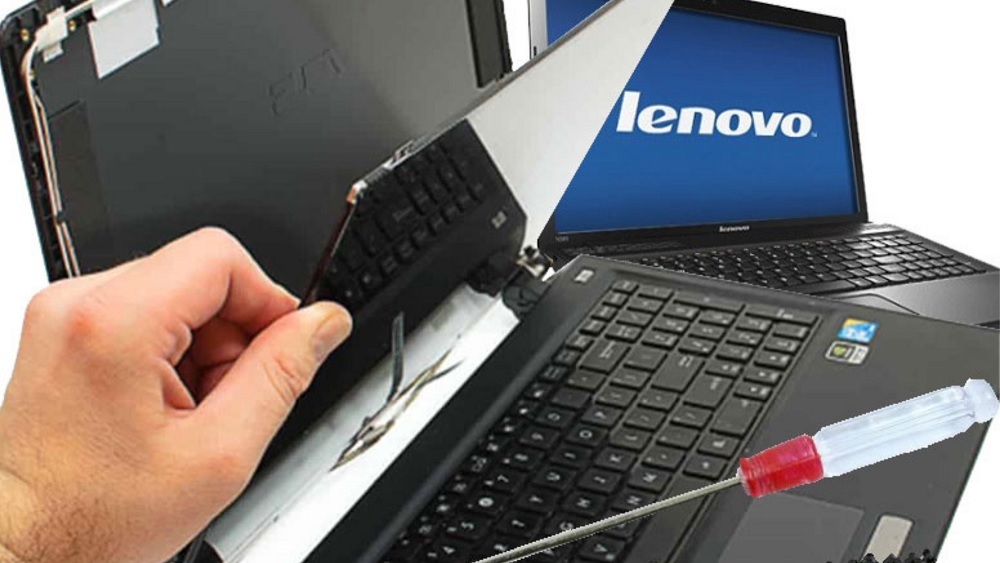
Lenovo laptops are popular across Melbourne for work, study, and gaming thanks to their reliability, performance, and value. But even the best machines eventually suffer from cracked screens, flickering displays, or dying batteries, especially with daily commuting, long work hours, and hot summers. If you are searching for Lenovo laptop repair Melbourne services, this detailed guide will help you understand your options, recognize early warning signs, and choose the right technicians for Lenovo screen repair and battery issues – all while keeping costs under control and downtime to a minimum.
Whether you own a ThinkPad repair melbourne, IdeaPad, Yoga, or Legion model, the right Lenovo laptop service center melbourne or independent specialist can restore your device to peak condition without forcing you into an unnecessary upgrade.
Common Lenovo Screen Problems Melbourne Users Face
Lenovo laptops are built tough, especially ThinkPads, but their screens are still vulnerable to shock, pressure, and wear. Melbourne’s on-the-go lifestyle – laptops in trams, trains, coworking spaces, cafes, and shared homes – makes screen damage particularly common. Typical problems that call for Lenovo screen repair include:
-
Cracked or shattered display after drops, bag pressure, or accidental impacts
-
Vertical or horizontal lines appearing across the screen
-
Flickering display, especially when opening or closing the lid
-
Complete black screen while the laptop seems to be running
-
Discoloration, washed-out colors, or strange patches on the display
-
Touchscreen not responding on Yoga and other touch-enabled models
Many of these issues come from damaged LCD/LED panels, loose or damaged display cables in the hinge area, or backlight and inverter issues on older models. Ignoring early symptoms can lead to a completely unusable screen, so it is better to treat display problems as a priority repair.

Common Lenovo Battery Problems in Melbourne
Battery issues are just as common as screen faults, especially in a city with hot summers and heavy usage patterns. Lenovo laptop batteries degrade faster when they are constantly on charge, used under high temperature, or frequently drained to zero. Signs you may need professional Lenovo laptop repair Melbourne for battery-related faults include:
-
Laptop shutting down suddenly even when the battery indicator shows remaining charge
-
Battery percentage jumping up and down or stuck at a certain level
-
Laptop only working when plugged in, with “plugged in, not charging” messages
-
Battery swelling, causing the trackpad or keyboard to bulge or the base to warp
-
Very short runtime, such as less than one hour of light use
-
Overheating in the bottom area where the battery is located
Battery problems can be caused by natural wear and tear, faulty charging circuits, damaged DC jacks, or swollen/failing battery cells. A swollen battery is a serious safety issue and should be replaced immediately by a qualified technician to avoid damage or fire risk.
DIY Checks Before Going for Lenovo Laptop Repair
Before you rush your laptop to a Lenovo laptop service melbourne or a local repair technician, there are a few simple checks you can perform yourself. These do not require advanced tools and can help you rule out minor software glitches.
For screen problems:
-
Connect an external monitor or TV using HDMI or DisplayPort.
-
If the external display works perfectly, the issue is most likely with your laptop screen, cable, or hinges rather than the graphics card.
-
-
Restart the laptop and enter the BIOS or diagnostic menu.
-
If the screen looks normal in BIOS but fails in Windows, it could be a driver or operating system issue.
-
-
Update or reinstall your graphics drivers and run Windows updates.
-
Gently adjust the angle of the screen.
-
If flickering happens only at certain angles, it often indicates a damaged display cable in the hinge.
-
For battery problems:
-
Try a full calibration: charge the laptop to 100%, use it until it shuts down, then charge it back to 100% without interruptions.
-
Check battery health information in Lenovo Vantage or similar system tools.
-
Inspect for physical swelling or warping around the base of the laptop.
-
Try a power reset by shutting down, unplugging the charger, holding the power button for 30 to 60 seconds, then reconnecting and restarting.
If these steps don’t resolve or at least improve the problems, professional diagnosis is the safer move.
Why Professional Lenovo Screen Repair Is Often the Best Choice
While there are many online tutorials showing how to replace a laptop screen, Lenovo models can be more complex than they appear. Thin bezels, integrated cameras, microphones, and touch layers in Yoga and some IdeaPad and Legion devices mean there is a high risk of causing further damage if you are not experienced.
Professional Lenovo screen repair offers several advantages:
-
Proper diagnostics to distinguish between a faulty panel, cable, hinge, or graphics issue
-
Access to compatible, high-quality replacement panels matched to your exact model and resolution
-
Clean disassembly using the right tools to avoid damaging the casing or hinges
-
Correct reassembly and cable routing to prevent future flickering or loose connections
-
Warranty on both the parts and the labor, giving you peace of mind
In many cases, a skilled technician can complete a screen replacement in a few hours for common Lenovo models if parts are in stock, making this a quick and effective repair compared to replacing the entire laptop.

Professional Lenovo Battery Replacement and Power Repairs
Battery replacement might look simpler than screen repair, but there are still important safety and compatibility considerations. Many modern Lenovo devices use internal batteries that require opening the chassis, disconnecting delicate flex cables, and handling sensitive components.
Professional Lenovo laptop repair Melbourne services for battery and power include:
-
Removing and disposing of old or swollen batteries safely in accordance with e-waste rules
-
Installing genuine or high-quality compatible batteries matched to voltage, capacity, and connector type
-
Cleaning the internal area of dust and debris while the laptop is open
-
Inspecting charging ports, DC jacks, and power circuits for damage
-
Updating firmware and recalibrating battery management to ensure accurate charge readings
For users working long hours on the go, a new battery can completely transform the experience, restoring several hours of unplugged usage and improving reliability.
Typical Costs for Lenovo Screen and Battery Repairs in Melbourne
Actual prices vary between shops, models, and parts quality, but you can expect the following typical price ranges for Lenovo laptop repair Melbourne related to screen and battery issues (amounts in local currency):
| Repair Type | Budget / Older Models | Mid‑Range Models (ThinkPad / IdeaPad) | Premium / Touch / Yoga / X1 |
|---|---|---|---|
| Standard non‑touch screen replace | Low to mid range | Mid range | High range |
| Touchscreen or 2‑in‑1 display | Mid range | Mid to high range | Higher range |
| Basic battery replacement | Low range | Low to mid range | Mid to high range |
| High‑capacity or slim battery | Mid range | Mid to high range | Higher range |
Factors that influence cost include:
-
Screen size (13, 14, 15.6, or 17 inches)
-
Resolution (HD, Full HD, 2K, or 4K)
-
Whether the screen is touch-enabled
-
Age and rarity of the specific Lenovo model
-
Whether parts are original Lenovo or high‑grade compatible
-
Onsite versus carry‑in service, and urgency or same‑day options
When asking for quotes, always request a breakdown into parts and labour so you can compare value between different repair providers.
How to Choose the Right Lenovo Laptop Repair Melbourne Service
Not every repair shop has genuine experience with Lenovo hardware, especially business-grade ThinkPads and modern Yogas. When searching for a Lenovo laptop service center or independent technician, use this checklist:
-
Experience with Lenovo: Ask directly whether they regularly work on Lenovo models and which series they specialize in (ThinkPad, IdeaPad, Yoga, Legion, etc.).
-
Clear diagnostics: A trustworthy shop should offer either free or reasonably priced diagnostics with a written or emailed report.
-
Transparent pricing: You should receive a clear estimate before work begins, including possible additional costs if unexpected damage is found.
-
Warranty: Look for at least 90 days warranty on parts and labour; reputable services may even offer longer.
-
Turnaround time: Ask how long they usually take for screen and battery repairs and whether they keep common Lenovo parts in stock.
-
Data privacy: Good technicians understand that your laptop may hold sensitive personal or business data and will respect your privacy.
These points help you avoid low‑quality repairs, inflated pricing, or unnecessary upselling.
Lenovo Models and Their Typical Screen/Battery Behaviours
Different Lenovo series have slightly different design patterns and common issues:
-
ThinkPad (T, X, L series):
-
Known for strong hinges and durable builds.
-
Common repairs: cracked panels from extreme impact, loose display cables from heavy lid use, and batteries worn from constant business travel.
-
-
IdeaPad series:
-
Popular among students and home users.
-
Common repairs: screen cracks from backpacks, budget panels with limited brightness, and cheaper batteries wearing out after a couple of years of daily use.
-
-
Yoga (2‑in‑1 convertible):
-
Touchscreens and 360‑degree hinges are more complex.
-
Common repairs: touchscreen digitizer failures, hinge‑area cable stress, and reduced battery life due to multimedia and creative workloads.
-
-
Legion gaming laptops:
-
High‑performance displays with high refresh rates and strong GPUs.
-
Common repairs: screen replacements due to heavy usage, gamer transport damage, and battery drain issues from demanding games and software.
-
Understanding your model’s tendencies helps set realistic expectations about repair costs and timelines.
Repair vs. Replace: When Is It Better to Upgrade Your Lenovo?
Even the best Lenovo laptop eventually reaches a point where repair might not be the best financial decision. A simple rule of thumb can help:
-
If the combined cost of screen and battery repair is less than 40–50% of the price of an equivalent new laptop, repair usually makes sense.
-
If the laptop is less than 3 or 4 years old and otherwise in good condition, repairing a screen or battery is typically worthwhile.
-
If the device is older, has multiple issues (for example, screen, battery, and keyboard or hinges), or struggles to run current software, upgrading might be more cost‑effective.
Still, many Lenovo machines, especially ThinkPads, can serve for many years with modest investments in a new screen, battery, and maybe an SSD or RAM upgrade.
How to Reduce the Need for Future Lenovo Screen and Battery Repairs
Prevention is always cheaper than repair. Adopting a few simple habits can dramatically extend the life of your Lenovo screen and battery:
For the screen:
-
Use a padded, dedicated laptop compartment in your backpack or bag.
-
Avoid placing heavy objects on top of the closed laptop.
-
Do not pick up the laptop by the screen or put pressure on the lid.
-
Consider using a screen protector, especially on touchscreen and Yoga models.
-
Clean the screen with a microfiber cloth and appropriate cleaner rather than rough materials.
For the battery:
-
Avoid constant full discharges; try to keep the charge between roughly 20% and 80% for daily use.
-
Do not leave the laptop permanently plugged in at high temperatures.
-
Use battery conservation or “conservation mode” features available in Lenovo software when using the laptop mostly on AC power.
-
Ensure proper ventilation and avoid blocking air vents during use.
-
Shut down or sleep the laptop when not needed instead of leaving heavy apps running in the background.
These small steps can add months or even years to the life of your Lenovo components and help you avoid frequent trips for Lenovo laptop repair Melbourne services.
What to Expect During a Lenovo Laptop Service Appointment
When you take your Lenovo device to a repair provider, a typical process looks like this:
-
Check‑in and initial questions about symptoms, history, and any previous repairs.
-
Physical inspection for cracks, signs of liquid damage, and battery swelling.
-
Hardware diagnostics using software tools and, if necessary, multimeters or other instruments.
-
Detailed quote covering the required work, parts, timing, and warranty.
-
Repair work including disassembly, replacement, cleaning, and reassembly.
-
Final testing to confirm the screen, battery, and other functions are working correctly.
-
Collection, payment, and explanation of what was done and how to care for the device going forward.
Good technicians will also answer your questions and provide honest advice about whether repair or replacement offers better long‑term value.
FAQs: Lenovo Laptop Repair in Melbourne
1. How much does Lenovo screen repair usually cost in Melbourne?
Costs vary by model and whether the screen is standard or touch, but most Lenovo screen repairs generally fall into a moderate price range. Basic non‑touch screens on popular IdeaPad or ThinkPad models are usually on the lower end, while touchscreens and high‑resolution panels on Yoga or X1 devices are at the higher end.
2. How long does a Lenovo laptop screen replacement take?
If the technician has the correct screen in stock, a straightforward screen replacement can often be completed within the same day or within 24 hours. Less common models or special panels may require ordering parts, which can extend the repair time by a few days.
3. When should I replace my Lenovo battery instead of recalibrating it?
If your battery health shows a very low maximum capacity, the laptop shuts off suddenly at higher percentages, or the battery is visibly swollen or causing the chassis to bulge, replacement is the safest and most effective option. Calibration only helps when the reporting is inaccurate but the battery cells are still in reasonably good condition.
4. Is it safe to use a Lenovo laptop with a cracked screen?
Using a laptop with a minor crack may be possible for a short time, but the damage can spread and small glass fragments or sharp edges can pose a risk. For touchscreens and severe cracks, continued use can also damage internal parts. Repairing or replacing the screen sooner is generally safer and protects the rest of the laptop.
5. Can I replace a Lenovo battery or screen myself to save money?
Technically, some experienced users can perform their own repairs, especially on older models with easier access panels. However, modern Lenovo designs use tightly packed internals, thin cables, and fragile connectors. Without the right tools and experience, you risk causing more damage or voiding warranties. For most users, professional repair offers better value and peace of mind.
6. How do I choose the best Lenovo laptop repair Melbourne service for my needs?
Focus on experience with Lenovo models, clear communication, transparent pricing, and solid warranties. Look for technicians or centers that can explain the problem in simple terms, provide a written quote, use quality parts, and offer a reasonable turnaround time. Checking customer reviews and asking specific questions about your model and issue will help you make a confident choice.
With the right guidance and support, Lenovo laptop screen and battery problems don’t have to end your device’s life. By choosing experienced technicians, understanding typical costs, and adopting protective habits, you can keep your Lenovo running smoothly and reliably for years to come.
